A Modulation Source of Arbitrary Length and Complexity
CONTROL FORGE's core functionality is drawn from the E-mu Morpheus's insanely powerful Function Generators, now expanded into a supremely flexible modulation source encompassing elaborate one-shot contours, evolving cyclical patterns, and sequences of arbitrary length and complexity.
At its most basic, it's an 8-segment function generator with variable time and target voltage level for each segment. Each segment's level can be defined either absolutely or relative to the ending level of the previous stage, and can optionally be quantized to the nearest 1/12 volt, with a user-defined range of randomness of either linear or gaussian distribution.
There are 67 different transition shapes between segments, from linear and exponential shapes to various flavors of random, chaotic, and many more that don't lend themselves to one-word descriptions, including the ability to pass CVs directly through to the output for individual segments. Also included are "DC" shapes that let the module be used as a sequencer with all of its available programmability.
Each segment may optionally have a conditional jump mode that jumps to another selected stage when a condition is met: a CV above or below a value, the presence or lack of a gate, rising or falling edges. In addition to one-shot shapes, extremely elaborate cyclical patterns can be programmed that evolve based on the various conditional inputs. AutoChain functionality builds multi-preset retriggerable patterns and "envelope-like" patterns with an optional sustain and release section jumped to on gate fall.
500 presets can be saved and recalled, and a preset sequencer steps through up to 200 user-defined series of presets under trigger, clock, or manual control, allowing contours and sequences of almost unlimited length. All presets and sequences can be transferred to any number of Satellite modules, which then operate as stand-alone modulation sources, completely independent of the Control Forge. Like all Rossum Electro-Music digital modules, all parameters are available for adjustment with a single button press. No menu diving.
Specifications
Manuals & Guides
Firmware & Software
Firmware
Presets & Factory Content
Boot Software
FAQ
Overview
What is Control Forge?
Control Forge is an 8-segment function generator and programmable CV source for Eurorack. It produces one-shot contours, evolving cyclical patterns and sequences of arbitrary length and complexity. Its core comes from the E-mu Morpheus's function generators, redesigned with a full front-panel interface. It can be anything from a simple envelope to a generative sequence hundreds of steps long, with conditional logic, randomization and clock synchronization.
Programming & Operation
How does the 8-segment system work?
Each of the eight segments has a programmable target voltage level and a time to reach it. It works like an 8-breakpoint envelope with adjustable slopes. Segments can use absolute voltages or levels relative to where the previous segment ended. Each segment also has its own transition shape (67 options), optional quantization, optional randomness and optional conditional jumps.
Can each segment be quantized, randomized or use relative levels?
Yes. Each of the eight segments has an independently programmable time and target level. That level can be absolute or relative to where the previous segment ended. Any segment's level can be quantized to the nearest 1/12 volt. Each segment can also take a user-defined range of randomness, using a linear or Gaussian distribution. The target level then varies within the range you set. Relative levels let you build shapes that accumulate or track an incoming CV. Relative quantized mode is how Control Forge generates 1V/octave patterns from an input voltage. These per-segment settings are stored in the preset.
What are transition shapes?
There are 67 transition shapes that define how the output voltage moves from one segment's level to the next. They range from linear and exponential curves to random, chaotic and other complex shapes. Each is shown graphically on the OLED during selection. Transition shapes are a big part of Control Forge's character. Two presets with the same voltage levels but different transition shapes produce completely different modulation.
What are conditional jumps?
Each segment can include a conditional jump that makes the function generator skip to a different segment when a condition is met. Conditions include a CV input above a threshold, a gate input high, or a rising or falling edge. This enables non-linear sequences, sub-loops, self-modifying patterns and stochastic variations.
What is AutoChain?
AutoChain automatically links multiple presets into two kinds of multi-preset shape. The first is a retriggerable pattern that behaves like a long, syncable LFO. The second is an envelope-like pattern with retriggering, an optional sustain section and a release section that is jumped to when the gate falls. AutoChain is how you build a single evolving contour or envelope that spans more than one preset. A shape can then run longer than a single eight-segment preset allows. It is distinct from the Preset Sequencer, which steps through a user-defined list of presets.
What is the Preset Sequencer?
The Preset Sequencer chains multiple presets into a series that steps through under trigger, clock or manual control. Because each preset can be eight segments with complex transition shapes and conditional logic, combining them produces patterns hundreds of steps long with evolving character.
What is Tempo (BPM) Mode, and what note values can it use?
BPM Mode (added in firmware v1.01c) sets each segment's length in musical note values against a tempo you enter in BPM. This makes musically synchronized patterns, envelopes and sequences without calculating segment times by hand. You enter the tempo in the Preset Globals menu. Note lengths run from a 1/128th note up to 32 whole notes, including triplet and dotted values (shown as 1/2t, 1/4d and so on). In Play Mode the screen shows Tempo instead of Time Scale. Double-clicking the encoder toggles between note values and the equivalent time. Tempo Mode is only saved with a preset if you set it in Preset Globals. The double-click display is temporary. If Tempo Mode is off in Globals, it assumes 120 BPM.
How do I make a segment wait for a gate or clock (Jump Mode / wait4LogicRise)?
Set the segment's Jump Mode to wait4LogicRise. The segment then holds until it sees a rising edge on the logic/gate input. This lets you advance segments in sync with a clock or gate.
Can I clock Control Forge with an external clock?
Not with a continuous external clock. Control Forge does not accept a continuous clock input the way a sequencer does. You can reset it and set its tempo. You can also use Jump Mode (wait4LogicRise) to advance segments in sync with a gate or clock signal.
How many presets, sequences and steps can Control Forge store?
Control Forge stores up to 500 presets, 200 preset sequences and a shared pool of 20,000 dynamically allocated sequence steps. Because the steps are dynamically allocated, you can have a few very long sequences or many short ones. A preset sequence steps through a user-defined series of presets under trigger, clock or manual control, via the Preset Sequencer Increment, Decrement and Reset inputs.
How do Control Forge and Satellite work together, and can I transfer presets?
Yes. You can transfer all Control Forge presets and sequences to any number of Satellite modules. Satellite then runs as a standalone CV source, fully independent of Control Forge. It uses the same 8-segment playback engine without the full programming interface. You transfer presets by patch cable — Control Forge's Trigger 2 output to Satellite's Logic input, then Utilities > Send to Module and Utilities > Receive from Module — or by playing a WAV archive into Satellite's CV 1 input. Either way the transfer replaces every preset and sequence already on the Satellite.
Getting Started
Is Control Forge hard to learn?
Control Forge has a steeper learning curve than most Eurorack modules. It rewards patience and planning. The best approach is to decide what you want to modulate and how it should evolve before you program. Some users draft presets on graph paper first. Once the paradigm clicks, the interface is systematic. Every parameter is one button press away, with no menu diving. The OLED gives clear visual feedback.
What kind of modulation source is Control Forge?
Control Forge is a programmable, preset-oriented modulation source, not an instant hands-on function generator. You program elaborate multi-step patterns with conditional logic, randomization and clock sync, then recall them as presets. That makes it deliberate rather than immediate. It pairs well with a quick, tactile function generator when you want direct hands-on control alongside it.
Inputs & Outputs
What are all the inputs and outputs on Control Forge?
Control Forge has eight inputs and four outputs, all on 3.5 mm mono jacks. The inputs are Gate/Trig, Logic, CV 1, CV 2, Time Scale CV and the three Preset Sequencer jacks Increment, Decrement and Reset. The outputs are a main + Output, an inverted − Output and two assignable Trigger outputs. The Gate/Trig, Logic and three Preset Sequencer inputs are 100 kΩ with a 1.6V threshold. CV 1, CV 2 and Time Scale CV accept -5V to +5V at 100 kΩ. The + and − outputs swing -5V to +5V from under 1Ω. Each Trigger output delivers 10V from 1 kΩ with a selectable pulse width.
How accurate is Control Forge's CV output?
Control Forge's main + Output is accurate to 1 mV or better across its full -5V to +5V range. Both the + and − outputs drive from under 1Ω. With per-segment quantization to the nearest 1/12 volt, that precision makes Control Forge suitable for accurate 1V/octave pitch as well as smooth modulation. The Trigger 1 and Trigger 2 outputs are separate 10V pulses (1 kΩ, selectable width) for gates and clocks, not pitch.
What can Control Forge's two trigger outputs do?
Control Forge has two independent trigger outputs. You can program them to fire on a variety of events, affecting either Control Forge itself or external modules. Each delivers a 10V pulse from 1 kΩ with a selectable pulse width. Because a trigger can be tied to an internal event, such as reaching a particular segment or condition, and routed back into Control Forge, it can drive external envelopes, clocks and gates in sync with a contour, or feed the module's own inputs for self-modulating and looping behavior. The triggers are separate from the + and − CV outputs.
Display & Hardware
Does Control Forge have a color display?
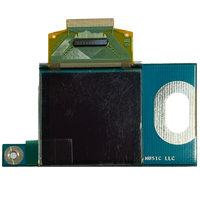
Yes. Control Forge uses a color OLED display. Like all OLED screens, it can dim or ghost over years of use. That is normal wear, not a defect. Rossum offers a replacement OLED kit with illustrated instructions. No soldering is needed, though the job does involve removing the panel hardware. To slow the wear, use the brightness and screensaver settings.
Can I dim the display or set a screensaver to protect the OLED?
Yes, since firmware v1.01c_170608. Go to Utilities > OLED Control. Turn the encoder to pick a brightness level from 1 to 11. The value is color-coded for its effect on OLED life: green is great, yellow is okay, red is a concern if you leave your system on 24/7. Click the encoder to reach the ScreenSaver setting. The screensaver delay ranges from 2 to 60 minutes, or Never. If you routinely leave your system on for long periods, Never is not recommended. Any button press or encoder turn dismisses the screensaver without registering as a control input.
Specifications & Power
How wide is Control Forge and will it fit in my case?
Control Forge is 22 HP wide and 25 mm deep. It fits any standard Eurorack case, including shallow skiffs.
What are Control Forge's power requirements?
Control Forge draws 125 mA on +12V and 25 mA on -12V. It uses a standard 16-pin Doepfer-style connector, needs no +5V rail and is reverse-polarity protected.
Firmware & Updates
What firmware version is current for Control Forge, and what did it add?
Control Forge's current firmware is v1.01c_170608 (download: v1.01c WAV), from June 2017. Its headline additions are Tempo (BPM) Mode and OLED display controls: an adjustable brightness level (1-11) plus a screensaver that engages after 2 to 60 minutes, both to extend display life. Version 1.01c also fixed a display flicker on the top few lines and corrected field selection in Preset Globals. To see your installed version, enter Play Mode, hold the Global button until Utilities appears, and scroll to the bottom.
How do I update Control Forge's firmware?
Play the firmware WAV file (download: v1.01c WAV) into the CV 1 input from a computer or audio device. Enter the update mode first: in Play Mode, long-press the Global button and select Load Software. On Mac, Safari can corrupt the audio stream. Use Chrome, QuickTime Player or another app instead.
How do I restore the Control Forge factory presets?
Download the factory presets file from the Control Forge downloads page and load it with the Load User Data function, which replaces the presets in your module. To keep presets you have created, use Merge User Data instead, which loads the factory set while leaving your own presets intact. The updated factory file (170621) fixes a faulty preset 457 and adds template preset 320, which demonstrates external clock sync via WaitForLogicRise. Factory presets load the same way as any user-data archive, played as an audio file into the CV 1 input.
Troubleshooting
My Control Forge stopped powering up. What do I do?
A Control Forge that will not power up points to a hardware fault. Contact support to start a repair. Rossum services these through a repair partner. As it transitions contract manufacturers, it may supply a replacement circuit board that fits your existing panel and ships directly to you, which can save you sending the whole module. Some board-level faults may not be economically repairable, in which case a replacement board is offered subject to stock. Include your serial number and order details.
Replacement Parts
Genuine replacement panels and kits for your Control Forge.