Take Your Control Forge Presets Anywhere
A compact 12HP module that can be loaded with all (or a subset) of the presets and preset sequences from a Rossum Electro-Music Control Forge or another Satellite, then function as a completely stand-alone CV generator.
Once the presets and preset sequences are transferred from the other module via a patch cord connection, Satellite no longer requires any connection to that module. With one or more Satellites, you can take advantage of all of your Control Forge presets and sequences in multiple cabinets or even different systems.
Multiple Satellites can be programmed from the same Control Forge and synced together via their Gate inputs to create complex polyphonic sequences and modulation contours.
In addition to direct connection with a Control Forge or other Satellite, presets and preset sequences can also be loaded via audio file archives saved from a Control Forge or Satellite. And since those files can be posted online and downloaded, it’s a great way to share and exchange presets.
Specifications
| Presets | 500 |
| Preset sequences | 200 |
| Sequence steps | 20,000, dynamically allocated |
| Gate/Trigger, Logic | 3.5 mm mono, 100 kΩ, 1.6 V threshold |
| CV 1–4 | 3.5 mm mono, 100 kΩ, −5 V to +5 V |
| Time Scale CV | 3.5 mm mono, 100 kΩ, −5 V to +5 V |
| Preset Seq Dec / Inc / Reset | 3.5 mm mono, 100 kΩ, 1.6 V threshold |
| CV + inverted CV | 3.5 mm, <1 Ω, −5 V to +5 V |
| Trigger 1 & 2 | 3.5 mm, 1 kΩ, 10 V, selectable width |
| Width | 12 HP |
| Depth | 25 mm, panel to plugged connector |
| Power | +12 V: 125 mA · −12 V: 25 mA (16-pin Doepfer) |
Manuals & Guides
Firmware & Software
Firmware
Boot Software
Frequently Asked Questions
What is Satellite, and how does it extend Control Forge?
Satellite is a compact standalone CV generator for Eurorack. It loads and plays back presets and sequences programmed on a Control Forge. It runs the same 8-segment function generator engine as Control Forge, without the full programming interface. Once presets are loaded, Satellite works on its own. No Control Forge needs to be connected or even present. Satellite is the player to Control Forge's editor-plus-player.
Do I need a Control Forge to use Satellite?
You need access to a Control Forge or another Satellite to load presets and sequences onto it. After that, Satellite runs entirely on its own. You do not need to own a Control Forge permanently. You could borrow one to load presets, or load from a WAV archive.
How do I get presets onto a Satellite?
You have two options. The first is a direct patch cable: connect a Control Forge output (or another Satellite) to the Satellite CV 1 input and use the transfer function. The second is a WAV archive: play a preset file saved from a Control Forge or Satellite into Satellite's CV 1 input. Because those archives can be posted online, you can download and share preset sets and reload them onto any Satellite. The CV 1 input is the same connection used for firmware updates.
Can I program presets on a Satellite?
Not from scratch. Satellite has limited editing. You can adjust some parameters in real time. You cannot create new presets with the full segment-by-segment interface. For full preset creation and editing, you need a Control Forge.
Click to show more questions...
Operation
Can I sync multiple Satellites together?
Yes. Multiple Satellites can be synced through their Gate inputs to create polyphonic modulation sequences. Each Satellite runs its own preset independently. A shared source can trigger and clock them together.
Does Satellite hold as many presets as Control Forge?
Yes. Satellite has the same storage as Control Forge: 500 presets, 200 preset sequences and 20,000 dynamically allocated sequence steps. You can transfer all of your Control Forge presets and sequences, or just a subset. Once loaded, Satellite runs them fully standalone. This lets you spread your full Control Forge library across multiple cases or separate systems, with each Satellite acting as an independent CV generator.
Comparison
What's the difference between Satellite and Control Forge?
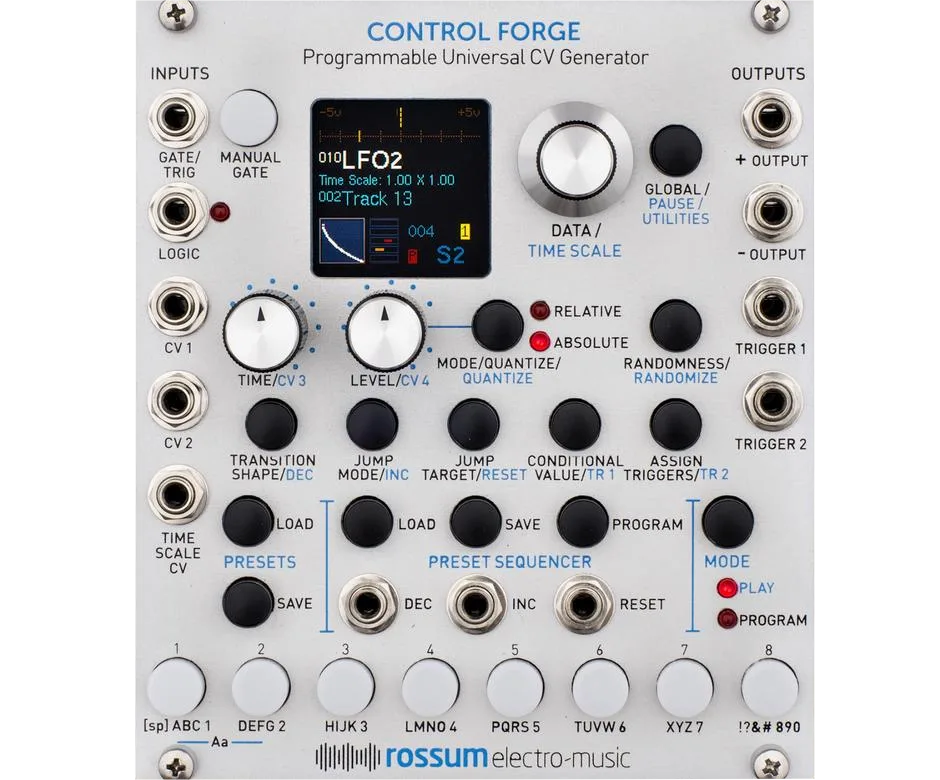
Satellite is smaller (12 HP versus 22 HP) and drops the full programming buttons and OLED display used to create presets. Its CV3 and CV4 knob assignments differ. It stores and plays back the same presets with identical audio quality. Think of it as the player module to Control Forge's editor-plus-player.
Inputs & Outputs
What inputs and outputs does Satellite have?
Satellite has ten inputs and four outputs, all on 3.5 mm mono jacks. The inputs are Gate/Trig, Logic, four CV inputs (CV 1 to CV 4), Time Scale CV and the three Preset Sequencer jacks Increment, Decrement and Reset. The outputs are a main + Output, an inverted − Output and Trigger 1 and Trigger 2. Electrically it matches Control Forge. Gate, Logic and the sequencer inputs use a 1.6V threshold at 100 kΩ. The CV and Time Scale inputs accept -5V to +5V at 100 kΩ. The + and − outputs swing -5V to +5V from under 1Ω. Each Trigger output is 10V from 1 kΩ with selectable width. Satellite gives four CV inputs where Control Forge has two.
Specifications & Power
How wide is Satellite and will it fit in my case?
Satellite is 12 HP wide and 25 mm deep. It fits any standard Eurorack case, including shallow skiffs.
What are Satellite's power requirements?
Satellite draws 125 mA on +12V and 25 mA on -12V. It uses a standard 16-pin Doepfer-style connector, needs no +5V rail and is reverse-polarity protected.
Firmware & Updates
What firmware does Satellite run, and how do I check or update it?
Satellite's current firmware is v1.00s_170524 (download: v1.00s WAV), from May 2017. To check your installed version, hold the Load Preset button and press the Load Seq. button to open Utilities, scroll to About this Satellite, and click the encoder. To update, play the update WAV into the CV 1 input. Open Utilities with the same button combination, choose Load Software, press the encoder twice as prompted, then start playback. When the transfer finishes, press the encoder again to reboot. Play the file at line level and avoid other audio interrupting the stream.