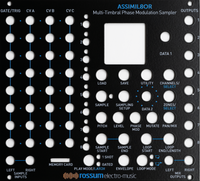
Eight Channels of CV-Controllable Sampling
The latest incarnation of Dave Rossum's decades-long pioneering of affordable professional sampling technology: a powerful, flexible sampling engine built for modular synthesis.
Assimil8or provides eight independent channels of sampling with sound quality that ranges from extremely hi-fi to low-fi, all under extensive real-time CV control. DC coupling through the entire signal path means you can sample and play back control voltages as readily as audio.
Its defining trick is phase modulation: the ability to phase-modulate samples by external analog signals or by other samples. A first for a hardware sampler, and the source of timbres no other instrument produces.
Specifications
| Sample memory | 2,300 s @ 48 kHz mono |
| Sample rates | 48 / 96 / 192 kHz |
| A/D & D/A | 24-bit |
| Internal processing | 32-bit |
| Latency (mix outputs) | 100 µs |
| Latency (individual outputs) | 180 µs |
| Sample L / R | 2 × 3.5 mm · 100 kΩ |
| Gate / Trigger 1–8 | 8 × 3.5 mm · 1.6 V |
| CV A 1–8 | 8 × · 96 kHz · 20 kHz BW |
| CV B & C 1–8 | 16 × · 48 kHz |
| Mix L / R | 2 × 3.5 mm · 1 kΩ |
| Individual | 8 × 3.5 mm · 1 kΩ |
| Width | 28 HP |
| Depth (with connector) | 25 mm |
| Power | ±12 V · 16-pin Doepfer |
| Current draw | 220 mA / 30 mA |
| Micro-SD card | 1 × |
| 16-pin power cable | 1 × |
| Mounting hardware | screws + washers |
| Quickstart guide | 1 × |
See It in Action
Introduction & Overview: feature walkthrough by sound designer Mike Kiraly for Control's Sonic Scenarios series.
2.0 New Feature Demos, part 1
Show 1 more video...
2.0 New Feature Demos, part 2
Understanding Phase Modulation
Modular sampling rewards understanding. Rossum ships not just the instrument but the ideas behind it. Here Dave Rossum explains the technique at the heart of the Assimil8or.
Phase modulation is a new kind of audio cross-modulation for sampled sounds. It can produce rich and varied timbres and textures, as well as wild distortions and grating noises.
The word "new" is probably not accurate. Modular synthesizers have used frequency modulation (FM) since their inception. Low-frequency FM produces nice vibrato; audio-rate FM creates interesting timbres. But exponential FM alters the perceived fundamental frequency of an oscillator; linear FM is required to alter the timbre while staying on pitch.
In the early 1970s, John Chowning discovered, using digital oscillators, that linear FM through the zero point produced very diverse and pleasing timbres. Yamaha further developed this technology, but while they continued to call their implementation "FM," they were actually using phase modulation.
Let's look at some oscilloscope photos. If I frequency-modulate a sine wave with another sine wave, the 'scope shows the effect on the waveform: the modulator on the bottom in blue, the carrier in yellow on top.

A big problem with through-zero linear FM is that as the modulator's pitch rises, it has less effect on the carrier's timbre. The solution, as Yamaha discovered, was to modulate the carrier's phase rather than its frequency, directly changing the location in the carrier's waveform instead of the rate at which it moves through that waveform.

As a final example, here's the waveform when a sawtooth is modulated by a violin sample. The frequency and sharp edges of the sawtooth are maintained, but the complex timbre of the violin is added.

"When first planning Assimil8or, I thought phase modulation might be a neat feature. I was really surprised to find almost nobody had taken advantage of phase-modulated sampled sounds. My first few experiments were really exciting, and I hope you have fun exploring this capability." (Dave Rossum)
Manuals & Guides
Firmware & Software
Firmware
Presets & Factory Content
Frequently Asked Questions
What is Assimil8or?
The Assimil8or is an eight-channel multi-timbral phase-modulation sampler for Eurorack. It was designed by Dave Rossum. Rossum co-founded E-mu Systems and engineered the original E-mu Emulator and SP-1200 samplers. Each channel samples and plays back independently with 24-bit conversion and 32-bit internal processing. Every channel has its own output plus a stereo mix. Real-time CV control over pitch, bit depth and aliasing takes the Assimil8or from pristine hi-fi playback to gritty SP-1200-style lo-fi.
How wide is Assimil8or and will it fit in my case?
The Assimil8or is 28 HP wide and 25 mm deep. Its shallow depth fits any standard Eurorack case, including skiff-style cases like the 4ms Pod series and Tiptop Mantis.
What are Assimil8or's power requirements?
The Assimil8or draws 220 mA on +12V and 30 mA on -12V. It uses a standard 16-pin Doepfer-style connector and needs no +5V rail.
What inputs and outputs does Assimil8or have?
The Assimil8or has 2 sample inputs (L and R), 8 gate/trigger inputs and 24 CV inputs. It also has 8 individual channel outputs and a stereo mix pair. All connections use 3.5 mm jacks.
- Gate/trigger threshold: 1.6 V
- CV inputs: 8 high-rate CV A (96 kHz), 16 CV B and C (48 kHz)
- Input impedance 100 kΩ, output impedance 1 kΩ
- Every channel appears at its own output and in the stereo mix at once
Click to show more questions...
Product Basics
Does Assimil8or have individual channel outputs?
Yes, each of the eight channels has its own independent output jack. All channels also appear in a stereo mix output pair (L/R). This makes it equally useful as a multi-output drum machine and a stereo sound mixdown source.
How does the stereo mix output work?
The stereo mix output sums all eight channels into a left and right pair. Each channel has pan and level parameters that set its position and volume in the mix. Both respond to per-channel CV. A stereo sample automatically occupies two channels panned hard left and right. The individual outputs stay active alongside the mix and are not muted when you use it.
How much sample memory does Assimil8or have?
The Assimil8or holds about 2,300 seconds of sample memory at 48 kHz mono. That works out to roughly 38 minutes of audio. The memory is freely allocatable across the eight channels. The samples loaded into RAM from the active folder cannot exceed 422 MB. There is no limit on SD card size. Only one folder is active at a time.
How many samples and folders can Assimil8or hold?
The Assimil8or can load up to 1000 sample sides at once. A mono sample counts as one side and a stereo sample as two. That means up to 1000 mono samples, 500 stereo samples or any mix totaling 1000 sides. A single card can hold up to 1024 folders. Only one folder loads into RAM at a time. File and folder lists display in alphabetical order. This 1000-side limit counts how many samples load at once. It is separate from the roughly 2,300 seconds (422 MB) of RAM that caps total audio.
What sample formats does Assimil8or support?
The Assimil8or plays integer (PCM) WAV files at 48, 96 or 192 kHz. Conversion is 24-bit A/D and D/A with 32-bit internal processing. Floating-point WAV files are not recognized. This is the most common loading failure. Most DAWs default to 32-bit float on export. In your export settings, choose 16-bit or 24-bit integer PCM WAV instead.
How low is Assimil8or's latency?
The Assimil8or has 100 microseconds of latency at the mix outputs and 180 microseconds at the individual outputs. That is 0.1 and 0.18 milliseconds. For comparison, it is like the delay of standing a few centimeters farther from a speaker. That is far too short to perceive. Triggering feels instant.
What's the difference between Assimil8or's CV A and CV B/C inputs?
Assimil8or's eight CV A inputs are higher-resolution than its sixteen CV B and C inputs. CV A runs at a 96 kHz sample rate and is anti-alias filtered to 20 kHz. That suits fast or audio-rate modulation like pitch and phase modulation. CV B and C run at 48 kHz with no anti-alias filtering. They are better for slower control such as level, pan or loop points. All 24 CV inputs present 100 kΩ impedance.
What's included in the box with Assimil8or?
The Assimil8or ships with everything needed to install it and start sampling. In the box:
- 1 microSD card (pre-loaded with factory samples and presets)
- 1 16-pin Doepfer-style power cable
- 4 M3 screws and 4 M2.5 screws
- 4 nylon washers
- a printed Quickstart Guide
Full manuals and the original factory card contents are available to download from Rossum's documentation page.
What firmware version is current for Assimil8or?
How do I check which firmware version my Assimil8or is running?
Press the UTILITY button to open the Utilities screen. Scroll down to About this Module and click the encoder. The installed version is displayed there. Compare it against the latest version on Rossum's downloads page. If yours is older, follow the firmware update steps.
How do I update Assimil8or's firmware?
To update Assimil8or firmware:
- Download and unzip the latest firmware (download: v3.04). Older versions are on Rossum's downloads page.
- Copy the app file to the root of the microSD card.
- Insert the card into the front-panel slot.
- Choose Utilities > Load Software and follow the prompts.
- Reboot when prompted.
You do not need to remove the old firmware first. The installer overwrites it. Read the release notes first. Some updates have prerequisites or specific steps.
What has changed across Assimil8or firmware versions?
The Assimil8or has received regular free firmware updates since launch and is still actively updated. The biggest additions over its firmware history include:
- MIDI in/out/thru via the Locutus expansion (firmware 3.0 and later)
- A micro-editor with zero-crossing snapping for precise sample and loop editing
- Per-channel Zone Lock and Zone Flip
- Channel Solo/Mute and input monitoring while sampling
- Loading up to 1000 sample sides at once
For the current version and the full changelog, see the release notes on Rossum's downloads page.
Compatibility & Setup
What type of SD card does Assimil8or use?
The Assimil8or uses a microSD card in a front-panel slot. The included card comes pre-loaded with factory samples and presets. Any microSD card works. Users report success with 128 GB and larger. For best reliability, use a card rated for high throughput (90 MB/s or faster, UHS-I or better) from a reputable brand like SanDisk or Samsung.
How do I format an SD card for Assimil8or?
Format the card as FAT32. The Assimil8or does not read exFAT or NTFS. The included card is already formatted and pre-loaded. You only need to format a card you supply yourself. Format it on a computer before copying WAV files to it.
Are there file or folder naming restrictions on Assimil8or?
Yes, folder names on the Assimil8or must be 32 characters or fewer. A longer folder name makes the module silently show the wrong contents or no files. The module gives no warning. Keep file names reasonably short too and avoid special characters. This 32-character folder limit is a common source of confusion. Check it first if files go missing.
Can Assimil8or reference samples across folders?
No. The Assimil8or loads only one folder at a time into RAM. A preset can only use samples from its own folder. Cross-folder references break after a power cycle. Keep all samples for a set of presets in the same folder.
How do I get samples onto Assimil8or's SD card?
To load samples, remove the microSD card from the Assimil8or's front panel and insert it into your computer with an adapter. Then copy WAV files into folders on the card. There is no USB or wireless transfer. The card must come out to add or change samples. A free open-source community tool called A8Manager (Windows and macOS) helps validate and edit presets on the card from your computer.
Can I use Assimil8or without an SD card?
No. The Assimil8or requires a microSD card in the front-panel slot. All samples and presets live on that card. The card must be inserted to load or play sounds.
What do I need to get Assimil8or up and running?
At minimum, to play the Assimil8or as a sampler you need:
- A Eurorack case with adequate power (it draws 220 mA on +12V and 30 mA on -12V)
- A FAT32 SD card with correctly formatted samples
- An audio path to your mixer or interface
- A clock or trigger source
Then you're ready to go. Have fun!
What modules pair well with Assimil8or?
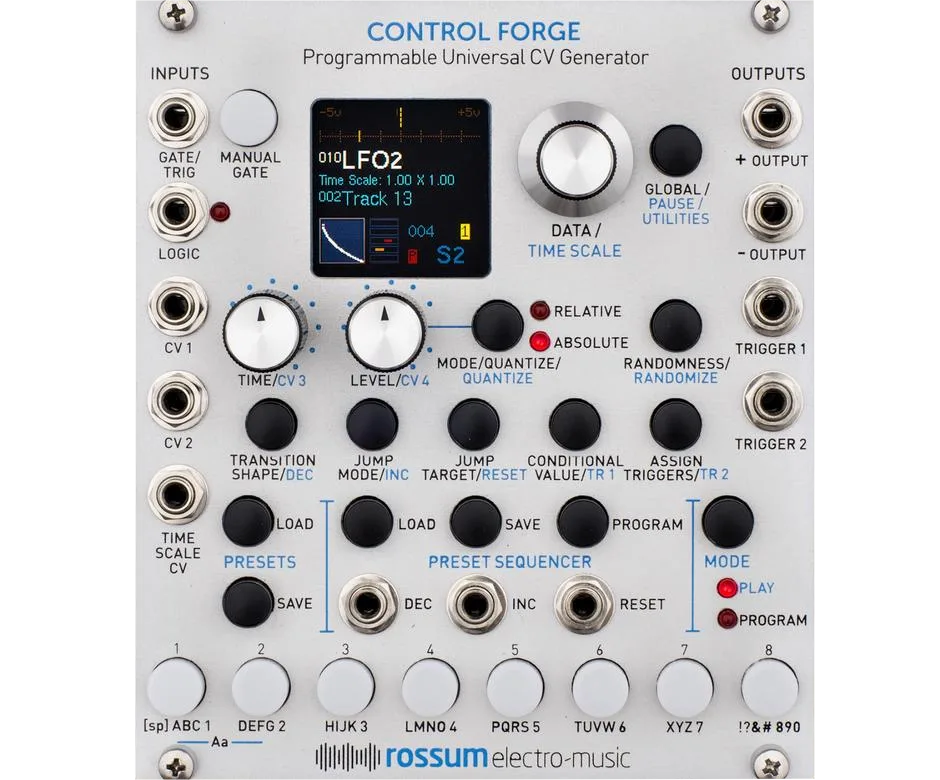
For full expressive control, add envelope generators, VCAs (up to one per channel), filters and modulation sources. The Rossum Evolution and Morpheus filters pair well. Control Forge is great for modulation. A popular rig is an Assimil8or with two Evolutions for stereo filtering and a Control Forge.
Can I use Assimil8or with MIDI?
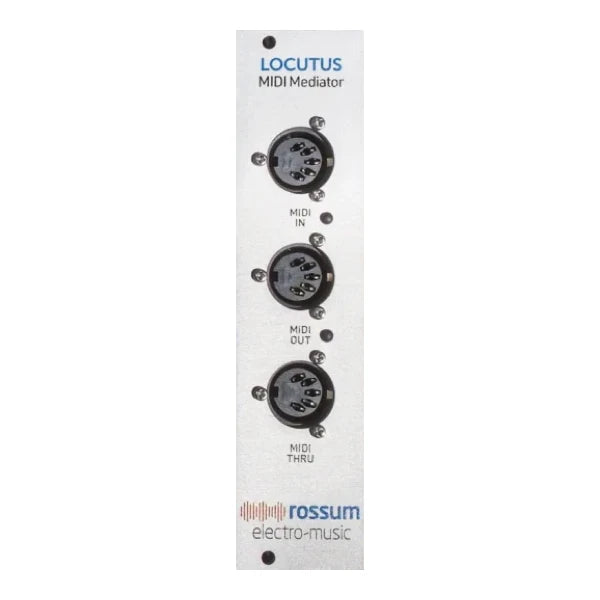
Yes, through the Locutus expansion module (6 HP). Locutus connects with an internal ribbon cable and provides MIDI in/out/thru for note triggering, CC parameter modulation, preset changes and multiple polyphonic assignment modes. It requires Assimil8or firmware v3.0 or later.
Can I use Assimil8or with an SP-1200?
Yes, through the Locutus expansion. Locutus includes dedicated SP-1200 MIDI assignment modes for both the Rossum SP-1200 Reissue and original E-mu SP-1200/SP-12 instruments. All SP-12 family instruments share the same MIDI note map. That lets you trigger the Assimil8or from an SP-1200, an SP-12 or any other MIDI source using that note map.
Is there a MIDI implementation reference for the Assimil8or?
Yes. See the MIDI Reference (PDF) for the full CC assignments and note map when driving the Assimil8or over MIDI through Locutus.
How many presets can Assimil8or store?
The Assimil8or stores up to 199 presets per folder. Each preset holds the full configuration for all eight channels. Because presets are stored per folder, more folders mean more total presets on the card.
How do I save and load presets on Assimil8or?
Presets are saved and loaded from the Utility menu on the Assimil8or. To save, go to Utility → Save Preset, choose a slot number (1-199) and confirm. To load, use Utility → Load Preset and select the slot. Presets are stored per folder on the SD card. Switching folders changes which presets are available. To start fresh, initialize a preset from the Utility menu. This resets all channels to default settings.
Sound & Function
What is Phase Modulation and how does it sound?
Phase modulation uses one sample to modulate the phase of another. That creates complex timbral transformations. It is mathematically related to the FM synthesis of the Yamaha DX7 but uses sampled audio as both carrier and modulator. Results range from subtle harmonic enrichment at low PM index values (±5 to 15 is most musical) to extreme distorted textures at high values. The best results often come from non-matching pitches between the carrier and modulator samples. Phase modulation of sampled audio was essentially unexplored before the Assimil8or.
Can Assimil8or be used as a synthesizer with single-cycle waveforms?
Yes, the Assimil8or works as a synthesizer with single-cycle waveforms. Load a single-cycle waveform, set it to loop and play it chromatically via CV. Combined with phase modulation, this becomes a wavetable-like synthesis engine. Pitched single-cycle waveforms work especially well as PM carriers modulated by other samples.
How does Assimil8or's Zone system work?
Each Assimil8or channel can hold up to 8 zones, each with a different sample. Zones are selected by CV voltage. This lets you switch between samples dynamically within a single channel. Zones are useful for drum kits, velocity layers or morphing between sounds. The Chop and Explode functions can automatically split a long sample into zones. The Flip function reverses zone order.
Can I modulate sample start position or do granular-style effects on Assimil8or?
Yes. Sample start, end and loop points can all be modulated via CV. Combined with short loop lengths, this enables stuttering and granular-like effects. For roll and stutter effects, set a narrow loop with an envelope controlling gate length. Dialing in these effects takes some experimentation. The manual's suggested values are starting points.
What do Assimil8or's bit depth and aliasing controls do?
The bit depth and aliasing controls let you reduce the Assimil8or's fidelity in real time. They take it from pristine hi-fi down to gritty SP-1200-style lo-fi. Bit depth is continuously variable from 32-bit (pristine) down to 1-bit (extreme lo-fi crunch). Aliasing amount is separately variable from virtually none to heavy. Both are CV-controllable.
Can Assimil8or sample CV signals, not just audio?
Yes, the Assimil8or can sample control voltages as well as audio. Its signal path is DC-coupled. You can record a CV and play it back as a modulation source.
Can I audition or preview samples before loading them?
Partially. The Assimil8or has an Auto-Audition feature (enable it in Utility > Preferences or long-press Load). It auditions samples as you browse a project folder by loading the first part of the sample into memory. However, it does not preview samples as you assign them into zones. That remains a common feature request.
How do I record samples directly on the Assimil8or?
To record, go to the Record menu for the channel you want. Set the sample input gain, arm recording and trigger via a gate signal or manually. For best results, use a CV trigger to start and stop recording. A CV trigger gives cleaner start and end points than manual triggering. Monitor the input level to avoid clipping. After recording, use the Truncate function to trim the sample.
Important: when truncating, make sure the start or end point marker is not highlighted (red) before you begin. Leaving it highlighted can corrupt the save.
Can I monitor the sample input through the outputs while sampling?
Yes, you can route the sample inputs into the mix outputs on the Pan/Mix screen to hear incoming audio while sampling. Each input (L and R) is set individually to Off (never in the mix), On (always in the mix) or Auto. In Auto, the input appears in the mix only when arming is Armed or HOT and drops out when Safe or unarmed. This lets you audition a source before recording without leaving it in the mix permanently. These monitoring settings are saved as part of the Sampling Setup. The L/R indicators flash whenever input monitoring is enabled.
Can Assimil8or sample and play in stereo?
Yes, the Assimil8or can sample and play in both mono and stereo. Its eight channels can be configured as eight mono voices, four stereo voices or any combination totaling eight sides. A mono sample counts as one side and a stereo sample as two. You can freely mix and match. For example, several mono drum voices can sit alongside a stereo pad. Sampling itself can be mono or stereo via the Sample L and R inputs. When you create a stereo pair, the left channel acts as the master and the right follows it. Triggering the pair plays both sides together. The same 24-bit A/D and D/A conversion applies to mono and stereo.
How do I snap Assimil8or's sample start/end points to zero crossings?
On Assimil8or firmware 3.0 and later, double-click the ENVELOPE button while editing a sample's Start & End or Loop points to snap edits to zero crossings. Editing those parameters opens the micro-editor. The micro-editor turns from orange to blue to show snap is active. While it is shown, hold ENVELOPE and turn the DATA 1 encoder to step the edit point by ±500 sample points at a time. That speeds up coarse positioning. As you edit, a visual display shows the playback position. This makes it easier to place loops cleanly and avoid clicks.
How do I play samples chromatically with 1V/Oct tracking?
Patch a 1V/Oct pitch CV into a channel's CV A input. Then set that channel's CV A destination to Pitch. CV A is the Assimil8or's highest-resolution input. It runs at 96 kHz with anti-alias filtering. The Assimil8or tracks 1V/Oct across its range. For best tracking accuracy, calibrate the CV inputs from the Utility menu. Single-cycle waveforms set to loop work especially well for chromatic playing.
How do I mute or solo channels on Assimil8or?
You can mute or solo any Assimil8or channel from the front panel. You can also mute a channel with CV. On the Pan/Mix screen, cursor to a channel and choose normal (–), Solo (S) or Mute (m). As shortcuts, hold the Pan/Mix button and press a channel button to solo it. Hold the Mutate button and press a channel button to mute it. Pressing Mutate + Pan/Mix together clears all solos and mutes at once. Solo and mute states persist across preset and folder changes. Muted channel numbers appear gray on the Loaded and Selected Channel Maps.
There is no dedicated mute CV input. To mute a channel with CV, assign one of its CV inputs to Level and drive that voltage to minimum.
How do I get velocity sensitivity when using Assimil8or as a drum machine?
Route a velocity or accent CV to each channel's Level parameter. The Assimil8or lets you assign any of a channel's CV inputs (CV A, B or C) to Level. A velocity CV then scales that channel's output per hit. This gives you velocity-sensitive drums across all eight channels. The velocity CV can come from a sequencer, a MIDI-to-CV converter or the Locutus MIDI expansion. Combine it with the channel's amplitude envelope to make louder hits feel natural. Over MIDI through Locutus, incoming note and CC data can do the same. Note that the Assimil8or supports only three global CC assignments at once.
What playback algorithms does Assimil8or have?
The Assimil8or has two selectable playback algorithms per channel: Pitch and Drop Sample. Pitch provides clean pitch shifting with interpolation. Drop Sample emulates the aliasing character of vintage 12-bit samplers like the SP-1200. The aliasing appears only when pitch-shifting, not at the sample's original pitch. The aliasing amount is adjustable. About 89% closely approximates the SP-1200's character. Choose Drop Sample for lo-fi grit and Pitch for clean transposition.
What Assimil8or parameters can I modulate with CV?
Every Assimil8or channel has assignable gate/trigger and CV inputs that can route to nearly any sample parameter independently per channel. Documented CV destinations include Pitch, Level, Bit Depth, Phase Modulation, Pan, Scrub, Sample Start, Sample Length, Loop Start, Loop Length and Release Time. Because each of the eight channels has its own inputs, you can build very different modulation setups across all channels at once. The signal path is DC-coupled. Both slow control voltages and audio-rate signals can drive these destinations.
How does CV-controlled scrubbing work on Assimil8or?
CV-controlled scrubbing lets you move the playback position through a sample with a control voltage. Assign a channel's CV input to the Scrub destination and modulate it to sweep through the sample. CV A gives the smoothest results because it is the highest-resolution input (96 kHz, anti-alias filtered). Smooth scrubbing takes some experimentation. The manual's suggested values are starting points, not fixed settings.
Can Assimil8or time-stretch samples?
No. The Assimil8or has no native time-stretching. As on a classic sampler, pitch and playback speed are linked. Transposing a sample up shortens it and speeds it up.
How do I set up looping on Assimil8or?
In the Assimil8or's channel sample parameters, set the play mode to Loop (continuous) or Gated Loop (loops while the gate is held, then plays to the end on release). You can set independent loop start and end points. These define a region within the sample that repeats. Loop points can be modulated via CV for evolving textures. For smooth loops, use crossfade looping if your firmware version supports it.
Tip: for rhythmic stuttering, set a very short loop length and modulate loop start position with a slow CV source.
Troubleshooting
Why don't my samples appear in some folders?
A folder name longer than 32 characters will not show the contents or files correctly, without any warning. Rename the folder to 32 characters or fewer. If files still do not appear, confirm they are integer PCM WAV files and the card is formatted as FAT32. If you are still having problems, contact support.
Why won't my DAW's exported samples load into Assimil8or?
The Assimil8or plays only integer (PCM) WAV files. It does not read floating-point WAV. Most DAWs export 32-bit float by default. In your DAW's export settings, choose 16-bit or 24-bit integer PCM WAV instead. If files still fail to load, strip macOS dot-files and keep names short without special characters.
Why won't my newly recorded samples save on Assimil8or?
Saving is most reliable when you record with a CV trigger or a pre-defined sample length. Manual-trigger recording can sometimes fail to save. If you use the Truncate function to trim a recording, make sure the start or end point marker is not highlighted (red) before you truncate. Leaving it highlighted will corrupt the save. To verify a save, try to rename the file. If you get "File not found," the sample was not written to the card. An older save bug was fixed in firmware 2.03. Update if you are on earlier firmware.
Why won't bit depth respond to MIDI CC through Locutus?
The Assimil8or supports only three CC assignments globally across the whole module, not per channel. Enabling a CC assignment also overrides the matching physical CV input for all channels. Bit depth in particular is a known trouble spot, even when pitch and aliasing respond. Check the MIDI Reference (PDF) for the exact CC mapping. Many users expect per-channel CC mapping. The Assimil8or does not provide it.
Why do some samples show "Bad Name" or appear crossed out after a power cycle?
This happens when a preset references samples from a folder other than the active one. The Assimil8or loads only one folder into RAM at a time. Cross-folder references break on power-up. Keep all samples for a preset in the same folder.
How do I restore the factory presets on a used Assimil8or?
Download the original factory user-card contents from the factory card backup (Dropbox). Extract them to a FAT32-formatted microSD card and insert it in the front panel. You can also contact Rossum support for the factory content.
Why do some samples show "Bad WAV Header" even though they play on my computer?
This error is usually caused by macOS hidden files. macOS writes hidden files like ._filename.wav to the card when copying. Delete these dot-files from the card. On macOS you can run dot_clean on the card before ejecting. Also confirm the samples are integer PCM WAV. Floating-point WAV will not load.
Is there a way to transfer files without removing the SD card?
No. The Assimil8or has no USB or wireless transfer. The microSD card must come out to manage files on a computer. Some users have tried WiFi-enabled SD cards as a workaround with mixed results.
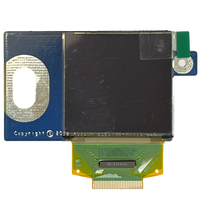
Why is my Assimil8or's display dim, and can the OLED be replaced?
OLED screens dim naturally with use. They dim faster when run at maximum brightness for long periods. This is inherent to OLED technology, not a manufacturing defect. It is not covered under warranty. Dimming is most noticeable when reading channel names on the Main Preset page. Rossum offers a replacement OLED kit for $50. It installs without soldering and comes with illustrated instructions. A synth technician can also fit it. To prolong screen life, avoid continuous maximum brightness, enable the screensaver and power the case down when not in use.
Why do my Assimil8or's mix outputs whine or make random noise?
A high-pitched whine on the mix outputs only is not part of normal operation. The same goes for random noise bursts or false triggers. If you experience this, it could point to a hardware problem. Please contact customer support for help arranging service. Include your serial number and a description or recording of the problem.
What do I do if my Assimil8or won't boot or is stuck on the boot screen?
Work through these steps in order:
- Remove and firmly re-seat the front-panel user SD card.
- Put the latest firmware app file (download: v3.04) on the user card and use Utilities > Load Software.
- Carefully remove and re-seat the internal SD card on the rear of the module. It should contain only MLO, app, prefs.yml and ssetup.yml.
If it is still stuck, run a Power Diagnostic Boot. Hold ENVELOPE + PLAY MODE + LOOP MODE while powering up. Channel LEDs 1-4 light. LEDs 5-7 report +12V status. LEDs 6 and 7 both off means power is good. A true boot loop usually needs the original bootloader files written back to the internal card. Please contact support with the LED pattern. Rossum can provide those files.
Why does my Assimil8or freeze or stop responding while audio keeps playing?
Power-cycling recovers it. The freeze is occasionally reported when the Assimil8or shares a bus board with other high-draw digital modules on certain power supplies. It has also been linked to erasing a sample while still recording. If it recurs, keep total system draw at 80% or less of your PSU's capacity and separate the Assimil8or from other high-draw digital modules onto different bus zones. If freezes persist, please contact support with steps to reproduce.
Replacement Parts
Genuine replacement panels and kits for your Assimil8or.